
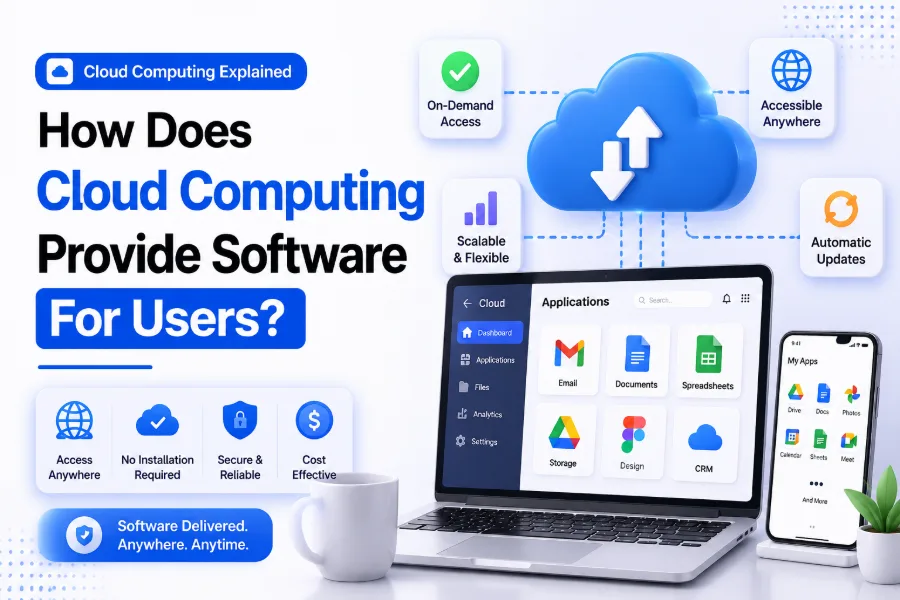
Cloud computing has changed the way people access and use software. In the past, users needed to install programs directly on their computers, manage updates, and store files locally. Today, many applications are delivered through the internet, allowing users to access powerful software without complicated installations or expensive hardware requirements.
From business platforms and online collaboration tools to education software and entertainment applications, cloud computing makes software more flexible and accessible. Users can work from different locations, access their data anytime, and benefit from automatic updates without handling technical maintenance themselves.
What Cloud Computing Means for Software Delivery
Cloud computing allows software applications to run on remote servers managed by cloud service providers. These servers store application data, process requests, and deliver software features to users through an internet connection.
Unlike traditional software that requires installation on a personal computer, cloud-based software operates through online platforms. Users simply log in through a browser or application interface and start using the service without managing the underlying infrastructure.
This approach allows companies to provide software to thousands or millions of users at the same time. The cloud provider takes care of server management, security updates, and system maintenance, making software access easier for customers.
Cloud-based software is commonly offered through a model called Software as a Service (SaaS). In this model, users pay for access to software instead of buying a permanent license.
How Cloud Providers Deliver Software Applications
Cloud providers deliver software by hosting applications on powerful data centers connected to the internet. These data centers contain servers, storage systems, and networking equipment that support software operations.
When users open a cloud application, their device sends requests through the internet to the cloud server. The server processes these requests and sends the necessary information back to the user’s device.
For example, when someone uses an online document editor, the software does not run entirely on their computer. Most processing happens on cloud servers, while the user’s browser displays the interface and allows interaction.
This method reduces the need for users to have high-performance devices because much of the computing work happens remotely.
The Role of Software as a Service in Cloud Computing
Software as a Service is one of the main ways cloud computing provides software to users. SaaS applications are hosted online and made available through subscriptions or usage-based plans.
Users do not need to download large installation files or manage software updates. The provider handles everything behind the scenes, including maintenance, improvements, and technical support.
Popular examples of SaaS applications include:
-
Online office software
-
Customer relationship management platforms
-
Project management tools
-
Accounting software
-
Communication platforms
This model benefits both users and software companies. Users get easy access to applications, while developers can deliver updates and improvements to everyone from a central system.
How Users Access Cloud-Based Software
Cloud software is usually accessed through web browsers, mobile apps, or desktop applications connected to cloud services. A stable internet connection allows users to interact with applications from almost any location.
When a user signs into a cloud application, authentication systems verify their identity and provide access based on their account permissions. This ensures that personal information and business data remain protected.
Cloud applications also support multiple devices. A user can start work on a laptop, continue on a tablet, and check updates from a smartphone without transferring files manually.
Key ways users access cloud software include:
-
Web browsers such as Chrome, Edge, or Safari
-
Mobile applications
-
Desktop applications connected to cloud servers
-
APIs for software integration
How Cloud Computing Manages Software Updates
One major advantage of cloud computing is automatic software updates. Traditional software often requires users to manually download and install new versions, which can be time-consuming.
With cloud-based software, updates are handled by the service provider. When developers release improvements, security patches, or new features, they are applied directly to the cloud platform.
This ensures that users always have access to the latest version without performing maintenance tasks themselves. Businesses also benefit because employees can use updated software without interrupting productivity.
Automatic updates also improve security by allowing providers to quickly fix vulnerabilities and protect users from newly discovered threats.
Benefits of Cloud-Based Software for Users
Cloud computing provides several advantages compared to traditional software installation methods. It improves accessibility, reduces maintenance responsibilities, and makes advanced applications available to more people.
Users can avoid purchasing expensive hardware because cloud services handle most processing requirements. This makes professional software accessible even on devices with limited resources.
Some major benefits include:
-
Access software from anywhere with internet connectivity
-
Automatic updates and maintenance
-
Lower upfront software costs
-
Easy collaboration between users
-
Flexible subscription options
-
Better scalability for growing needs
These benefits make cloud software popular among individuals, startups, educational institutions, and large organizations.
How Cloud Computing Supports Collaboration
Cloud-based software allows multiple users to work together in real time. Instead of sending files back and forth, users can access the same online platform and collaborate instantly.
For example, cloud-based project management tools allow teams to track tasks, share documents, and communicate through one centralized system. Changes made by one person can become available to others immediately.
This collaboration capability is especially useful for remote teams. Employees can work from different locations while maintaining access to the same software and information.
Cloud collaboration also reduces problems caused by outdated files or duplicate versions because everyone works from a shared platform.
Security Measures Used in Cloud Software
Cloud providers use different security methods to protect software applications and user information. Since cloud applications handle large amounts of data, security is a major priority.
Providers typically use encryption, access controls, monitoring systems, and regular security updates to protect their platforms.
Common cloud software security practices include:
-
Data encryption during transfer and storage
-
Multi-factor authentication
-
Regular security testing
-
User permission management
-
Backup and recovery systems
Although cloud providers handle infrastructure security, users should also follow good security practices, such as using strong passwords and protecting account access.
Examples of Cloud Software Used Today
Many everyday applications use cloud computing to deliver software services. Users often interact with cloud platforms without realizing that cloud infrastructure powers these tools.
Examples include:
-
Email services that store messages online
-
Streaming platforms that deliver media instantly
-
Online storage services for file management
-
Business software for accounting and customer management
-
Learning platforms for online education
These applications rely on cloud servers to provide reliable access, process information, and deliver services efficiently.
Cloud Computing Compared With Traditional Software
Traditional software and cloud-based software work differently. Traditional applications are installed on individual devices, while cloud software runs on remote servers and is accessed online.
| Feature | Traditional Software | Cloud-Based Software |
|---|---|---|
| Installation | Required on each device | Usually accessed online |
| Updates | Managed by users | Managed by providers |
| Storage | Local device storage | Cloud storage |
| Access | Limited to installed devices | Available across devices |
| Maintenance | User responsibility | Provider responsibility |
Cloud software provides greater flexibility, especially for users who need access from multiple locations.
Future of Cloud-Based Software Delivery
Cloud computing continues to influence how software is created, distributed, and used. More companies are moving their applications to cloud platforms because of improved flexibility and reduced infrastructure costs.
Future cloud software will likely include more automation, artificial intelligence features, and personalized experiences. These improvements will allow applications to adapt better to user needs.
As internet access improves worldwide, cloud-based software will continue becoming a standard way for people and businesses to use digital tools.
Conclusion
Cloud computing provides software to users by hosting applications on remote servers and delivering access through the internet. Instead of installing and maintaining programs locally, users can simply connect to cloud platforms and use software whenever they need it.
The process behind how does cloud computing provide software for users involves cloud infrastructure, SaaS delivery models, automatic updates, security systems, and online accessibility. These features make software easier to use, maintain, and scale for different types of users.
From personal applications to enterprise solutions, cloud computing has created a more flexible approach to software delivery. As technology continues to develop, cloud-based software will remain an important part of how people access digital services.
FAQ
What type of software does cloud computing provide?
Cloud computing provides many types of software, including productivity tools, business applications, storage services, communication platforms, and industry-specific software delivered through online platforms.
Do users need to install cloud software?
Most cloud software does not require traditional installation. Users can usually access applications through web browsers or mobile apps connected to cloud servers.
How does cloud computing reduce software costs?
Cloud computing reduces costs by removing the need for expensive hardware, large software licenses, and manual maintenance. Users often pay through flexible subscription plans based on their needs.
Is cloud software secure for users?
Cloud software can be highly secure when providers use encryption, authentication systems, monitoring, and regular updates. Users should also maintain good account security practices.
What is SaaS in cloud computing?
SaaS stands for Software as a Service. It is a cloud computing model where software applications are hosted online and provided to users through internet access instead of local installation.
0 Comments